The Workshop
Uses

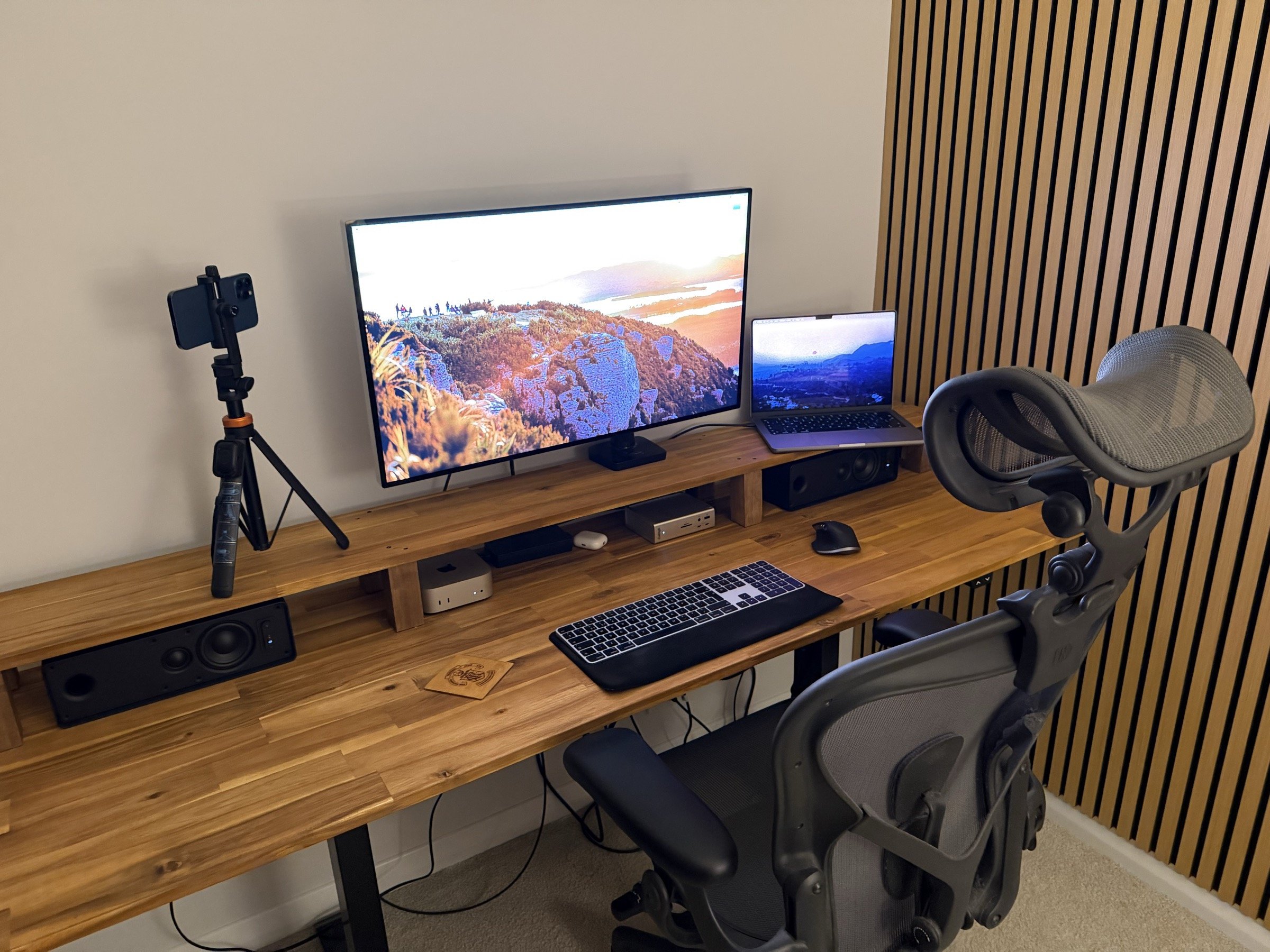
As of August 2026, here is my current setup. The biggest change since I last updated this page isn't on the desk, it's in how the work actually happens. I mostly architect, review and steer now rather than write the code myself.
Hardware
- 14" M2 MacBook Pro
- Apple Pro Display XDR
- IKEA Symfonisk speakers on the desk
- B&W P7 wireless headphones (to enjoy music)
- Apple AirPods Pro for calls
- Apple wireless keyboard
- Logitech MX Master 3S for Mac
- CalDigit TS4 Thunderbolt dock to tie it all together
- iPhone 12 Pro Max on a tripod as my webcam
Furniture
- Custom table top from Mitre 10, still on a sit/stand frame
- Herman Miller Aeron chair
How I work
The IDE has left the building. PHPStorm is gone entirely and VS Code only gets opened when I genuinely need to look at code with my own eyes.
- Solo is where I access agents. It's the app my working day now runs through.
- Claude Code does almost everything, on a Claude Pro Max plan. Codex gets pulled in occasionally for a second opinion when a decision is worth double checking.
- Generally one agent per project.
- A config layer of the SuperClaude framework, custom skills and a set of MCP servers (Laravel Boost, Fastmail, Cloudflare, Ray and Solo itself). All of it earns its keep.
- Pull requests opened with the
ghCLI and reviewed in the browser. That's where most of my code reading happens now. - Fluid Voice for dictation, which is a much better way to brief an agent than typing.
Software
- iTerm, always there
- Chrome as my development browser
- Safari for general browsing
- Sequel Ace for local MySQL databases
- TablePlus for everything else
- Raycast for a bunch of productivity wins
- Droplr for screenshots and things
- Sourcetree
- Homebrew for installing dev packages and any other apps from the command line
- Laravel Herd for managing local projects
- 1Password for managing passwords
- A self hosted AFFiNE instance for notes and life planning
Tools of my trade
In no particular order, here are some of the tools in my toolbox:
- Laravel: the world's most popular PHP framework with a vibrant community and ecosystem of associated tools. I've yet to have a project it can't handle.
- Inertia: predominantly how I build Laravel applications now.
- React and TypeScript: these days my default for the front end. React's ecosystem has pulled far enough ahead that it's hard to argue with.
- Vue.js: still a lot of love here, and it remains the better fit when mixing traditional server rendered views with a JavaScript layer.
- React Native and Expo: mobile is part of the work now that I build my own apps.
- Statamic CMS: the world's best flat-file CMS that comes as a package for Laravel; great for building the marketing site of a project when needed.
- Tailwind CSS v4: still the best way for a team to define styles for a web (and React Native) project. Has excellent documentation.
- Alpine.js: for when I need only a spattering of JavaScript.
Hosting
- Laravel Cloud, which has taken over for new work
- Laravel Forge for server provisioning and deployment, with Digital Ocean, Hetzner and Laravel VPS behind it for everything that still lives on a server
- A Mac mini at home for self hosting, fronted by Cloudflare Tunnels
- Cloudflare to help with site performance across the 🌍 and also domain name registration
- Postmark for 📧 deliverability
- Typesense or Meilisearch when a project needs search, which is usually plenty. Algolia far less often now
Business
- Wise for international transfers
- Xero for invoicing